Activate OData Connection

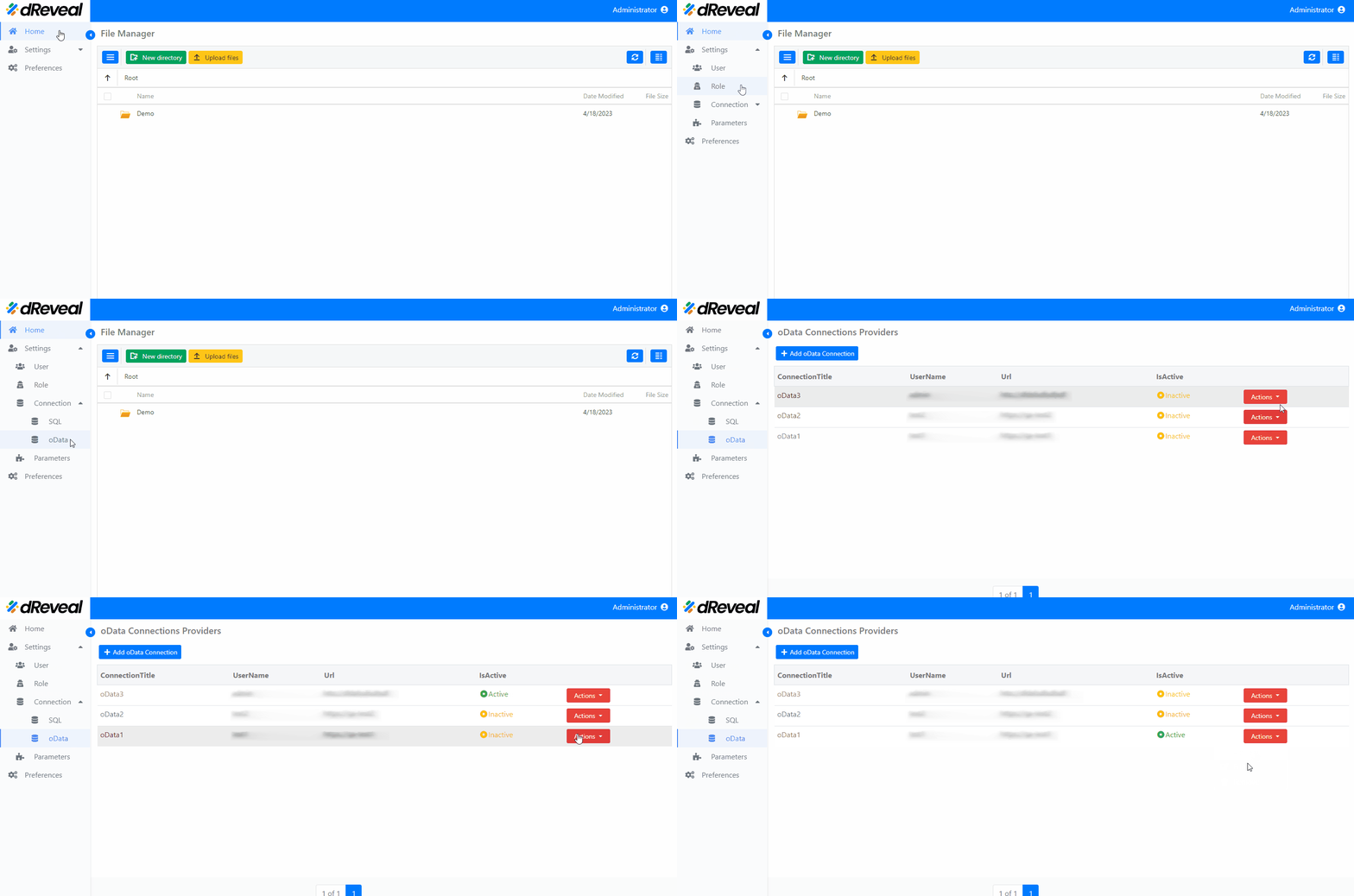
This functionality allows the administrator to activate an existing oData connection.
To activate an oData connection, first enter your username and password, then click on "Login". Once logged in, go to the "Settings" tab and select "Connection". Next, click on "oData", and in the "Actions" menu, select "Activate".
Data Source Support and Combination Rules
All dReveal products support these data sources:
- SQL Server
- PostgreSQL
- Oracle
- MySQL
- OData Service
- API Services
- Excel file
- CSV file
- JSON file
Combination rules:
- API Services, Excel file, CSV file, and JSON file can be combined together in the same source context.
- SQL Server, PostgreSQL, Oracle, MySQL, and OData Service cannot be combined with other data sources.