dReveal v4.3.2: What's New?
We're excited to announce the latest update to the dReveal product suite. This minor release adds several usability improvements across the platform.
Enhancements in Designers
Model Designer
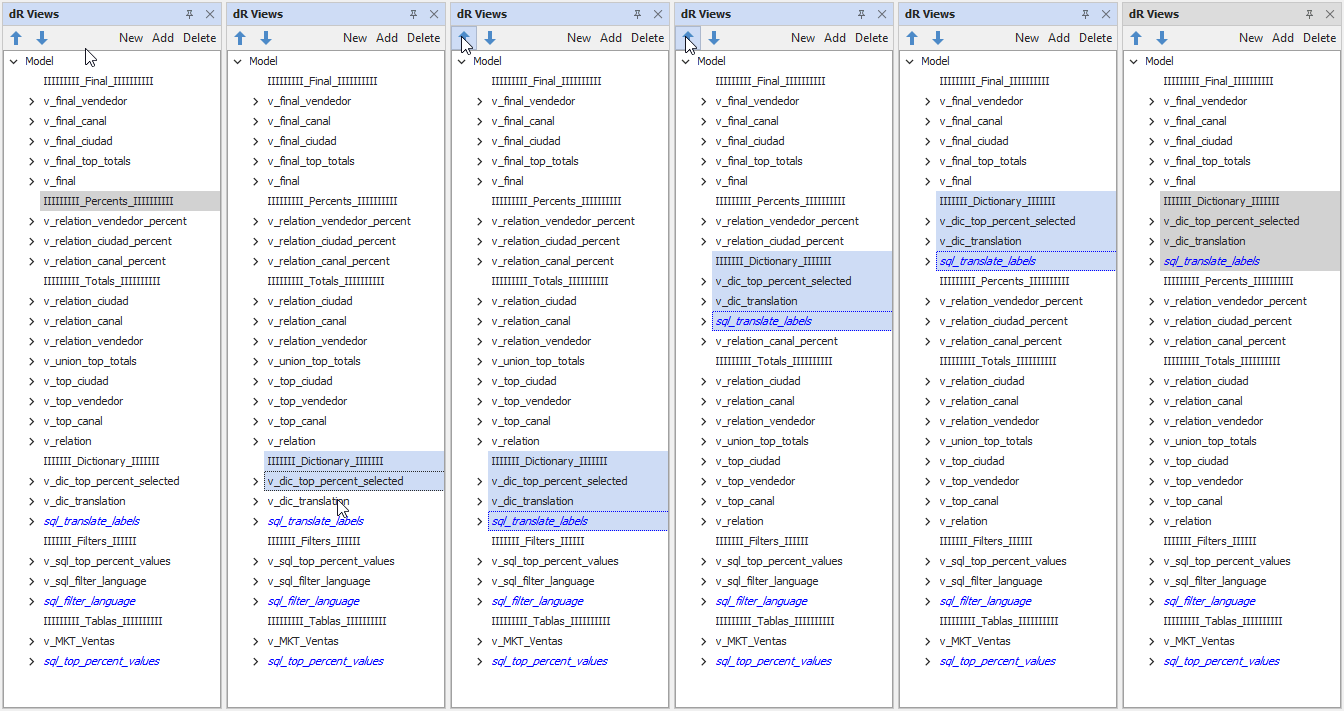
The Model Designer now provides more flexible and efficient tools for working with Views in the report builder:
- Bulk Repositioning of Views: Users can now select multiple views (using the Shift key) and move them together, streamlining large model adjustments.
- Expand/Collapse Actions: A new right-click context menu option makes it easy to expand or collapse groups of views, improving navigation and clarity when working with complex models.
Grid Designer
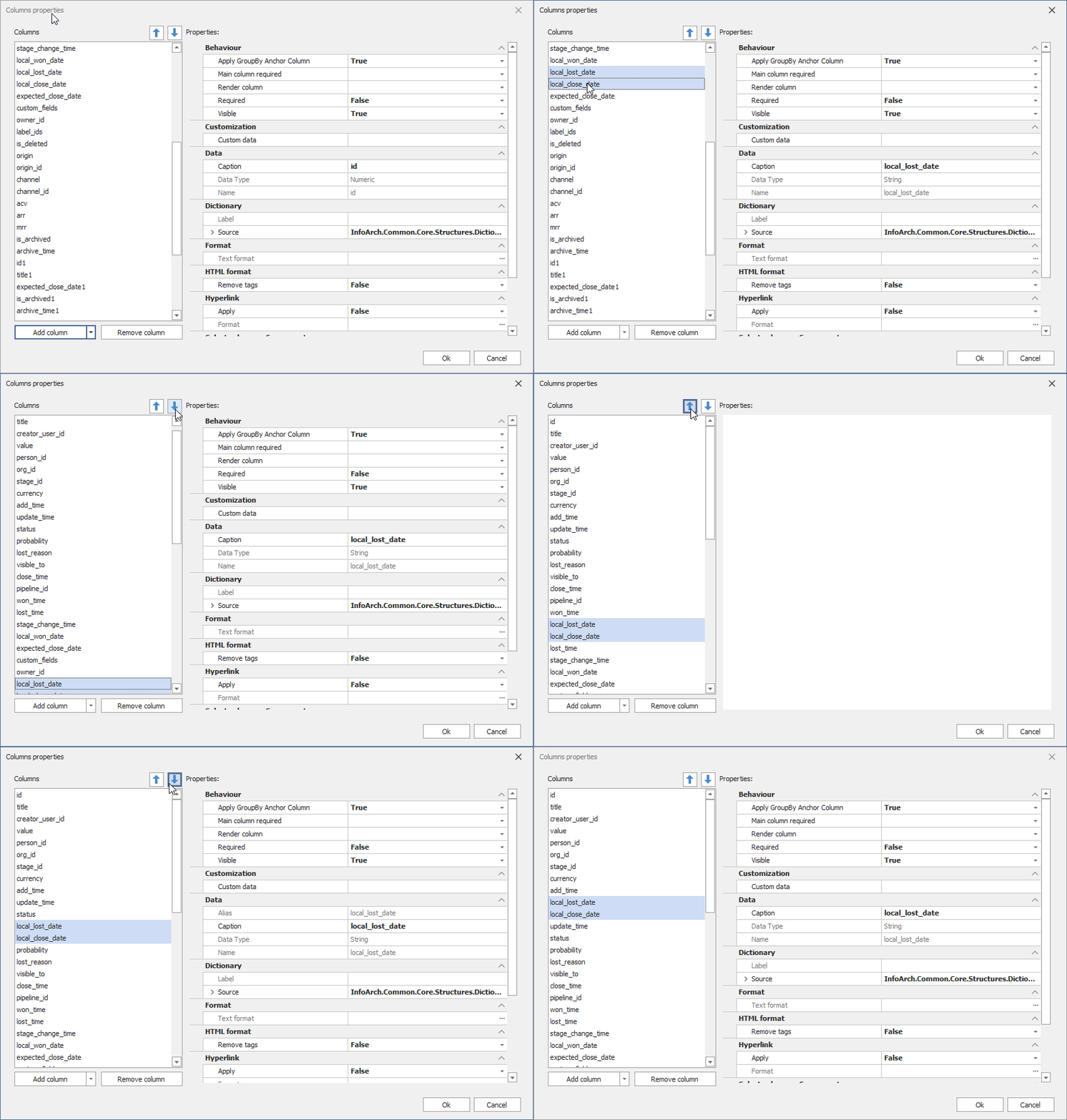
Working with column layouts is now faster and more intuitive:
- Bulk Column Repositioning: Previously, columns had to be moved one at a time. With this release, multiple columns can be selected and repositioned in bulk, significantly reducing time spent organizing grids.
Enhancements in Grid Reports
Smarter Column Positioning
A new behavior has been introduced to improve how column positions are managed when executing Grid reports:
- Previously, when users customized column positions and then added new columns to the grid, the new columns did not appear in the expected location.
- With this release, the system now combines the original report definition with the user’s customizations:
- The developer’s intended column order (as defined in the report) is respected.
- The user’s adjustments are preserved.
- Newly added columns will automatically be placed right after the column defined in the original report.
This enhancement ensures a more predictable and user-friendly experience when extending grid layouts, reducing the need for repeated manual adjustments.
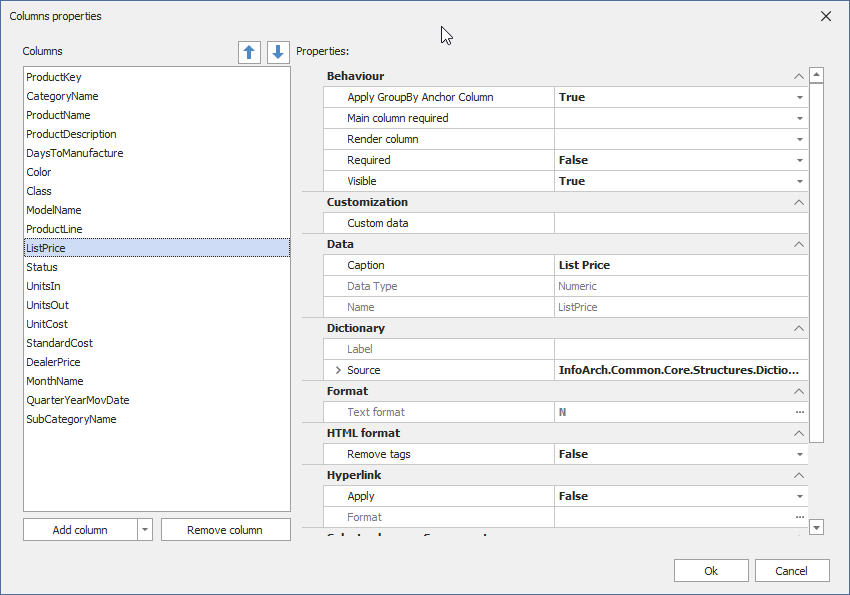
From the example below, the report definition columns are arranged in the following order. Notice how the new column 'List Price' is positioned after the 'Product Line' column.
During report execution, the user has moved the 'Product Line' column to a different position. When the user adds the new column 'List Price', it is now automatically placed after the 'Product Line' column as defined in the original report.
This behavior ensures that both the report designer’s intent and the user’s customizations are respected.
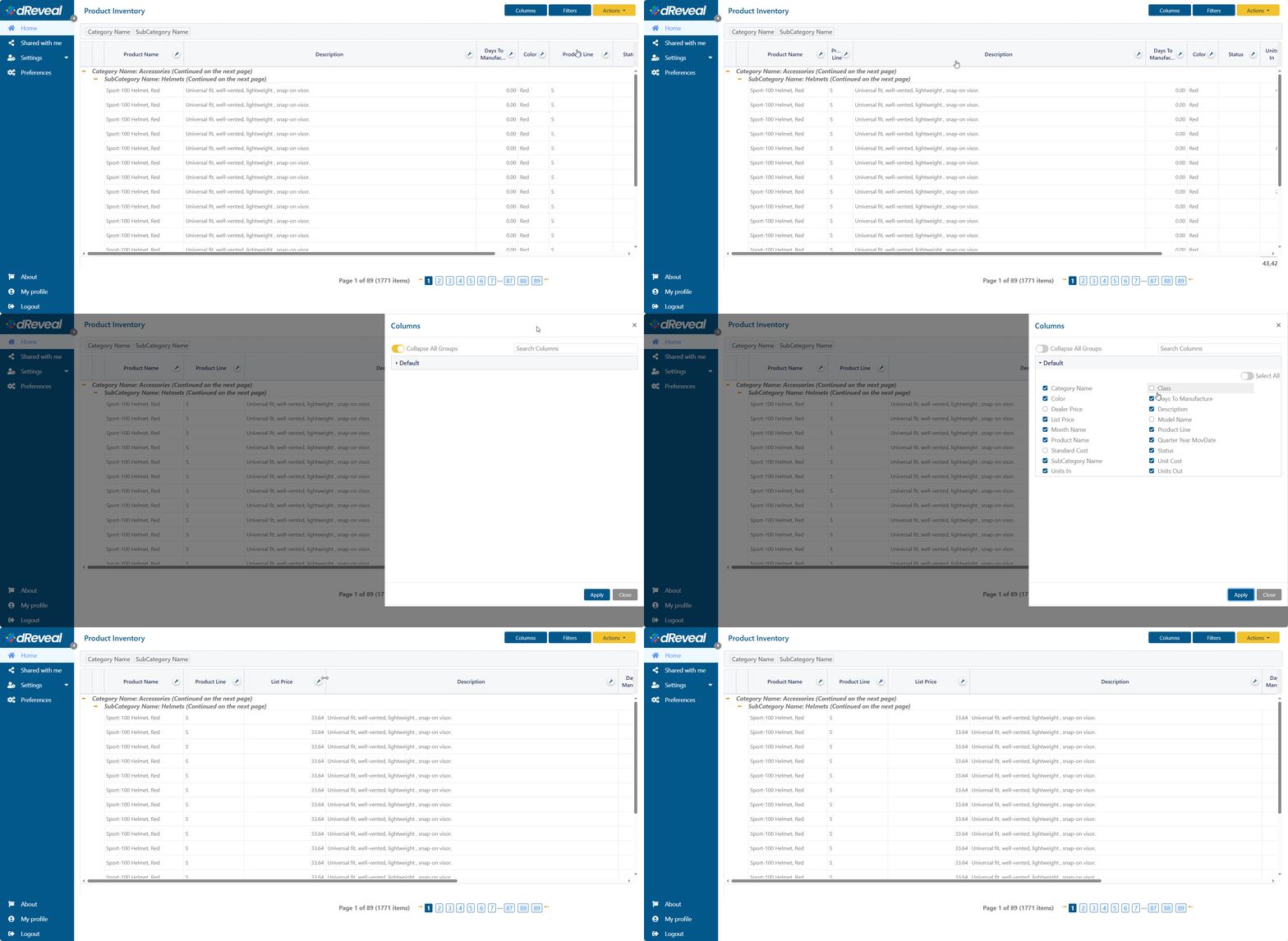
Note: Even if the user does not move any columns, new columns will still follow the same rule and appear in the expected position according to the report definition.