Add oData Connection

This allows the administrator to add an oData connection to dReveal.
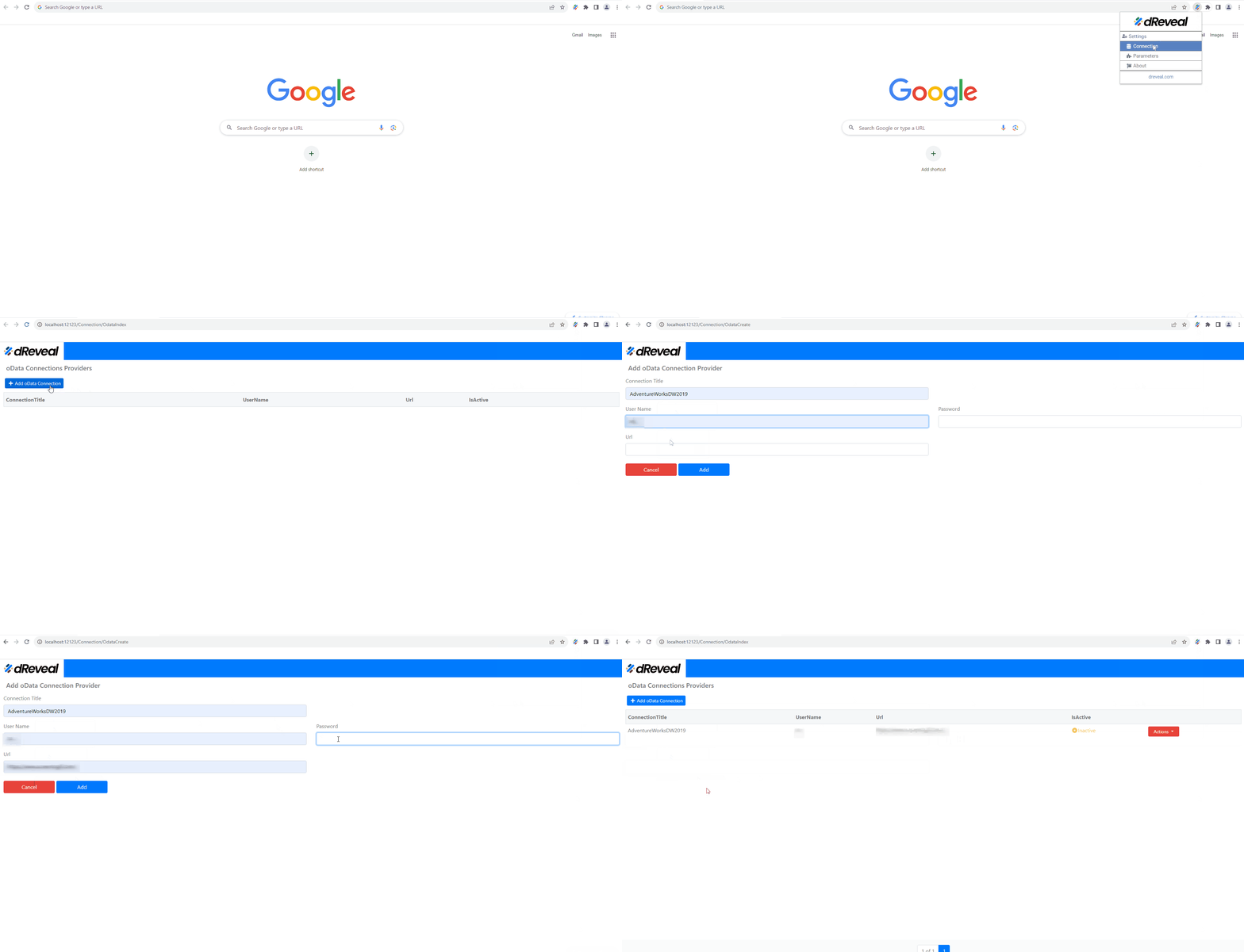
"To add a new OData connection in dReveal Lite, first open Google Chrome and look for the extension icon. Once you find it, click on it to access its settings. Within the settings, find the "Connection" option and select it. Then, locate the "OData" section and click on "Add OData connection". Finally, confirm the addition by clicking on "Add"."
Data Source Support and Combination Rules
All dReveal products support these data sources:
- SQL Server
- PostgreSQL
- Oracle
- MySQL
- OData Service
- API Services
- Excel file
- CSV file
- JSON file
Combination rules:
- API Services, Excel file, CSV file, and JSON file can be combined together in the same source context.
- SQL Server, PostgreSQL, Oracle, MySQL, and OData Service cannot be combined with other data sources.